Circle
Your family keeps you going. Your numbers stay covered.
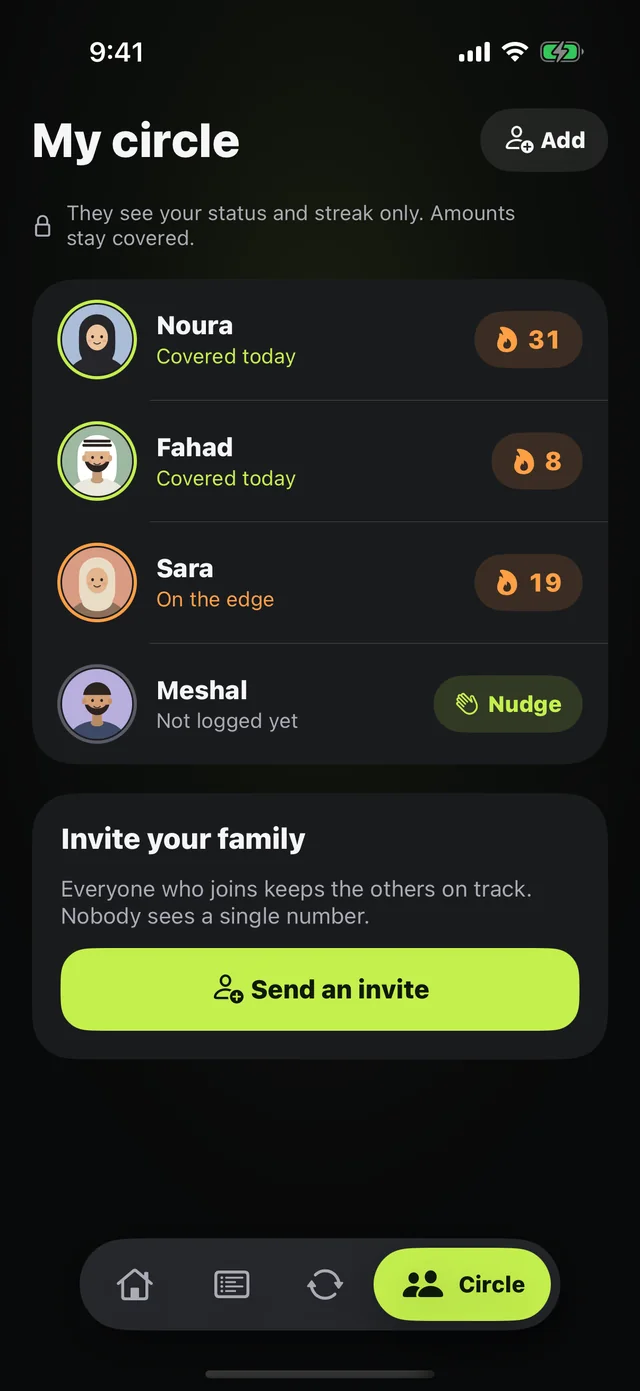
Sticking to a budget is easier when someone's with you. Your circle brings you together with family or friends: you see each other's status and streaks, never a single number.
 Download on the App Store
Free on iPhone · iOS 18.0 or later
Why it matters
Status only
Covered, On the edge, or Exposed — never salary or spending.
Streaks
How many days in a row each person has logged.
Who logged today
"3 of 5 logged today" at the top of the circle.
Nudge
A gentle poke for whoever hasn't logged, once every 6 hours per person.
Up to 10 people
Start your circle and invite your family with a link.
Weekly recap
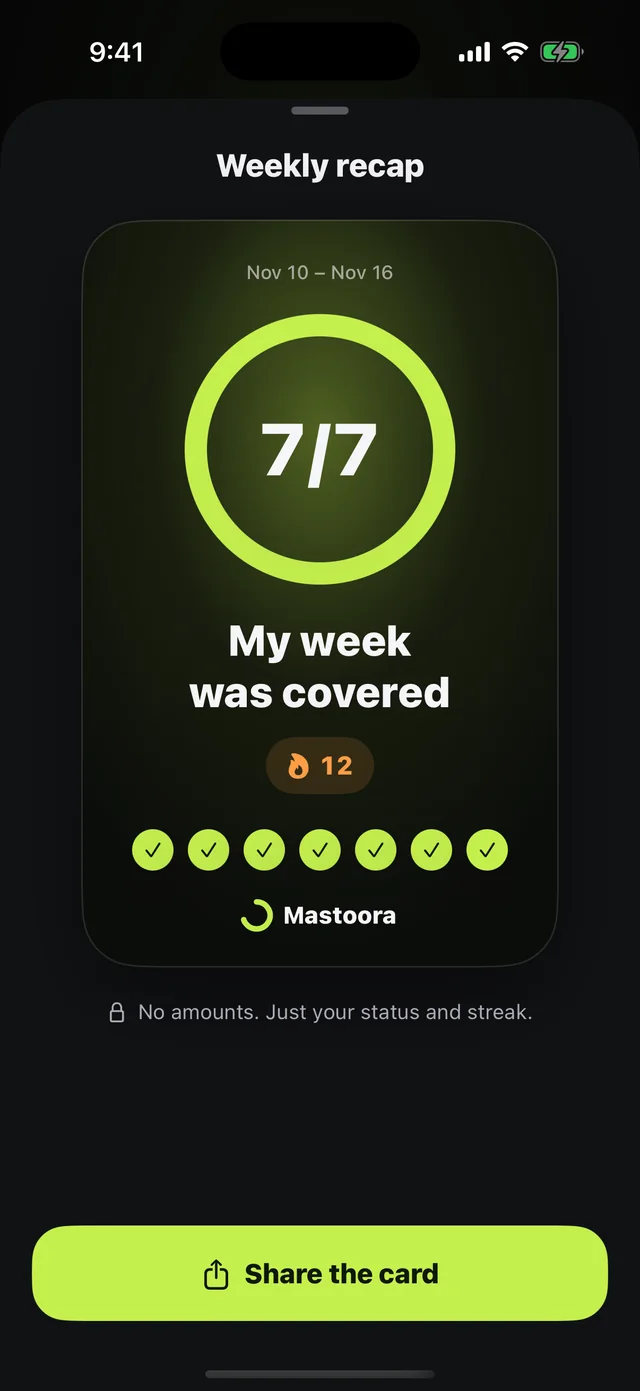
A "My week was covered" card you can share with no amounts on it.
How to use it
- 1
Open Circle
Tap "Start my circle."
- 2
Pick your name and character
That's what your family sees.
- 3
Send an invite
Everyone joins from the link and shows up in the circle.
Questions about this feature
Can my family see how much I spent?+
No. They see your status, streak, and the last day you logged. Your numbers never leave your phone.
Can I add someone without a link?+
No. People join with an invite code only, so nobody is added to a circle without choosing to.
Does a nudge send a notification?+
A nudge shows up inside the app the next time they open it.
More features
Keep your month covered
Download Mastoora, add your commitments in a minute, and see your real number for today.
Download on the App StoreFree on iPhone · iOS 18.0 or later