Commitments tracker
Everything that leaves your salary, in one place
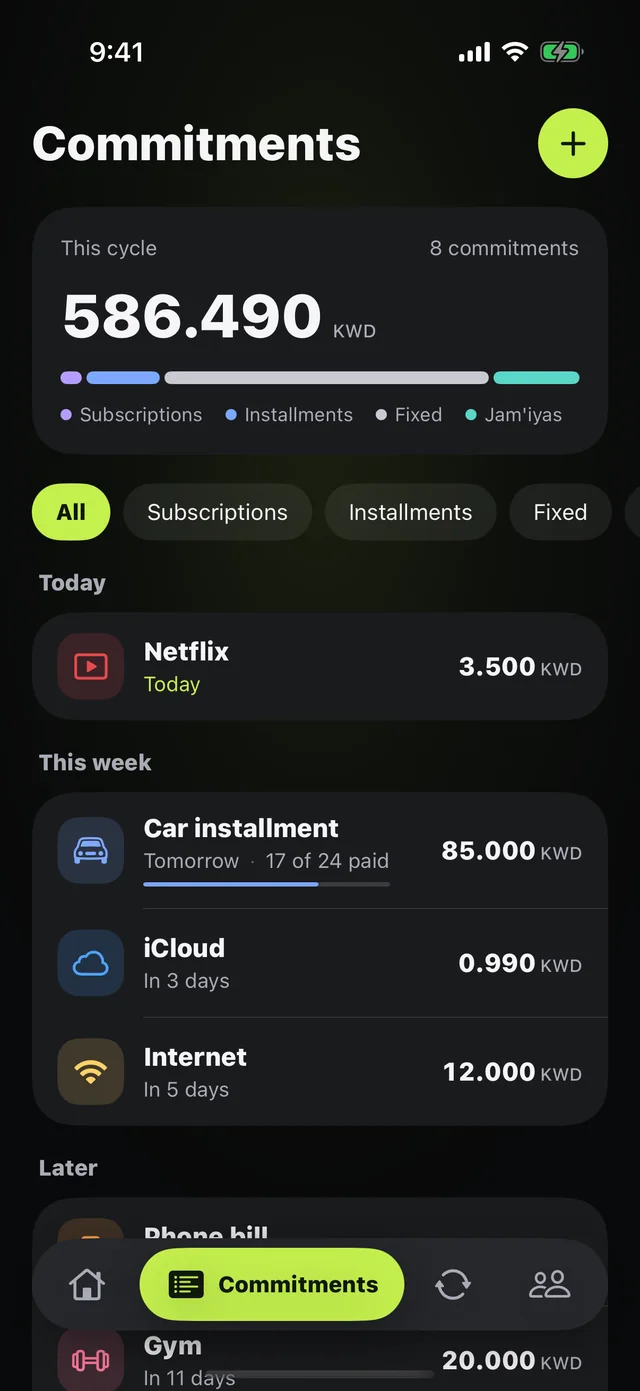
Netflix, Shahid, and iCloud; the car installment; rent, internet, and the gym; your jam'iya payment. Add them once and Mastoora sorts them by due date and takes them out of your salary automatically.
 Download on the App Store
Free on iPhone · iOS 18.0 or later
Why it matters
Four kinds
Subscriptions, installments, fixed bills, and jam'iyas, each with its own color on the month bar.
Prices are ready
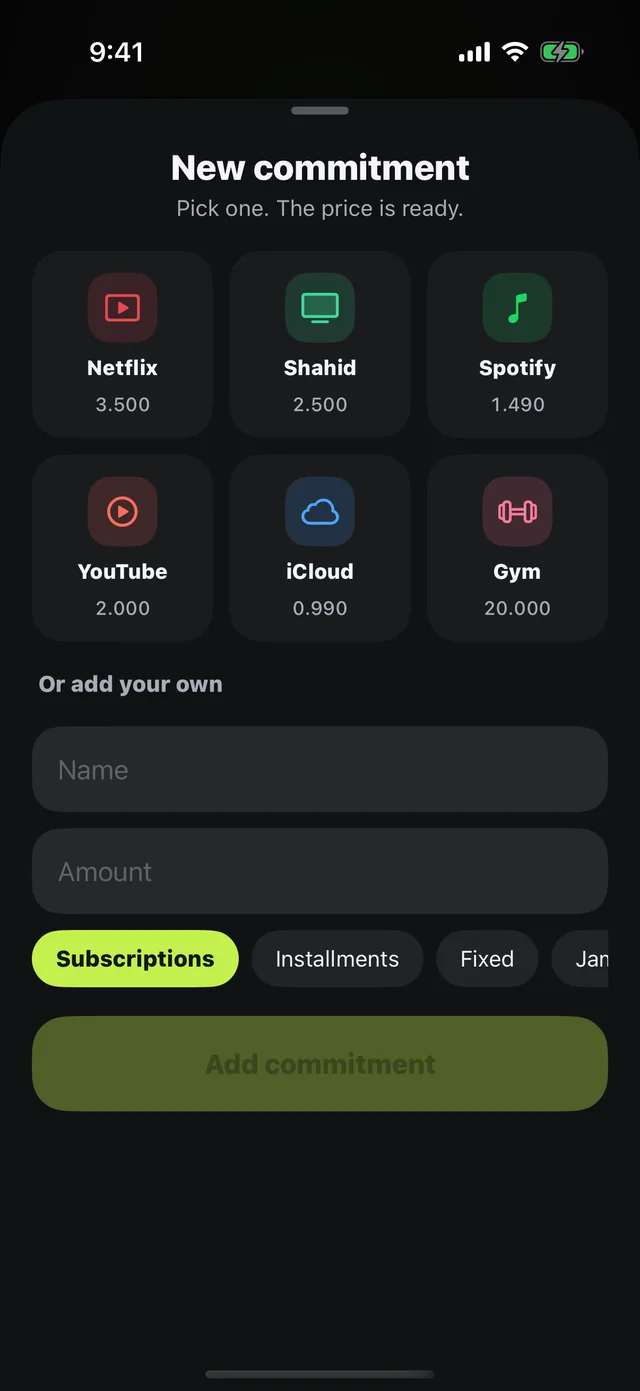
Tap what you have from popular services with the price filled in, or add your own by name and amount.
The month's total
One number at the top: everything that leaves this cycle, split by kind.
Coming up
Today, this week, and later: see what's about to be withdrawn before it surprises you.
Installments that count down
Each installment shows payments left, what you've paid so far, and what a year costs.
A heads-up first
A notification at 10 a.m. the day before every withdrawal.
How to use it
- 1
Open Commitments
Tap the add button at the top.
- 2
Pick or type
Tap a service from the list, or type a name and amount and choose the kind.
- 3
Set the due day
Mastoora works out the date every month and takes it out of your allowance.
Questions about this feature
How many commitments can I add for free?+
Up to 10 on the free plan, and unlimited with Mastoora Plus.
Does Mastoora detect my subscriptions automatically?+
No, because it never connects to your bank or reads your messages. You add them once, and prices for popular services are ready.
Can I add a Tabby or Tamara installment?+
Yes. Add it as an installment with the payment amount and due day. See buy now, pay later installments.
More features
Keep your month covered
Download Mastoora, add your commitments in a minute, and see your real number for today.
Download on the App StoreFree on iPhone · iOS 18.0 or later