Jam'iya
Your jam'iya with clear turns, no notebook or group chat
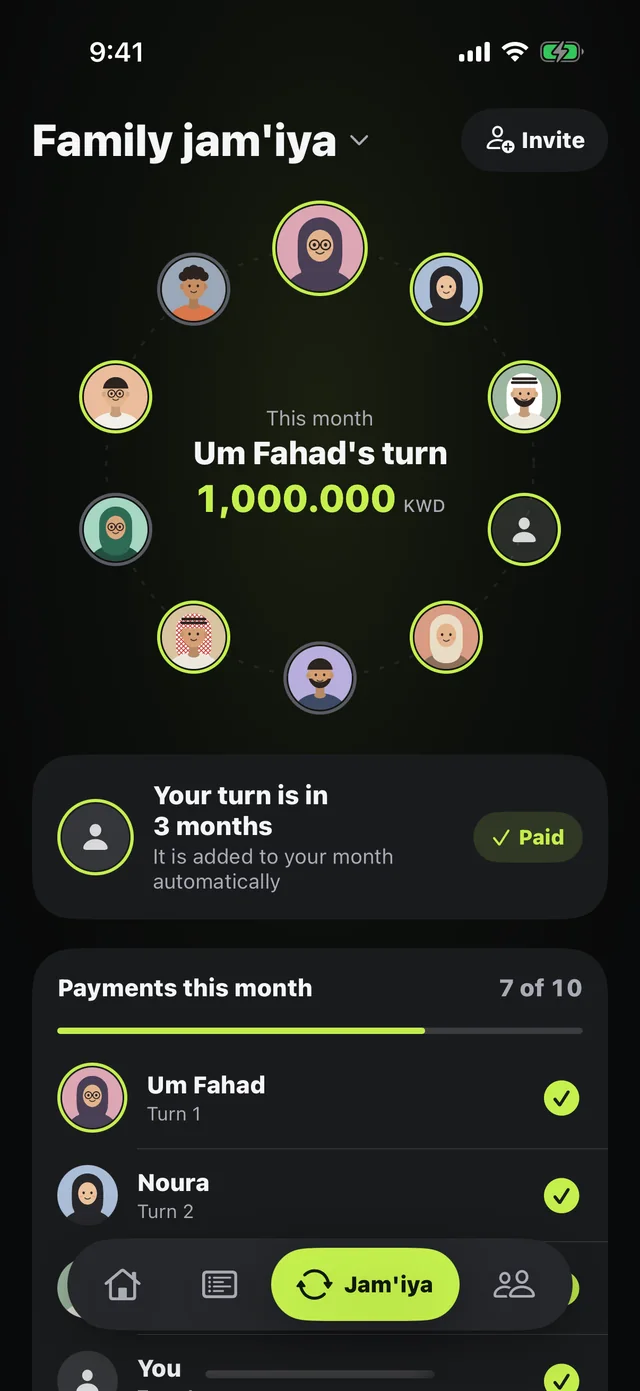
Whose turn is it this month? Who has paid and who hasn't? Mastoora keeps your jam'iya (a rotating savings circle) with its turns and payments, and every member sees it on their phone from one link.
 Download on the App Store
Free on iPhone · iOS 18.0 or later
Why it matters
An invite link
Create the jam'iya, get the link, and members join and pick their seat.
Turns in order
You take the first turn and add the others in their order — even people without the app.
This month's payments
Each member marks their own payment, and the organizer can mark everyone's.
When's my turn?
"Your turn is in 3 months" or "It's your turn this month" right on the jam'iya page.
Remind the rest
A ready-made message for whoever hasn't paid.
Part of your allowance
The monthly share is added to your commitments and counted in your daily allowance.
How to use it
- 1
Open Jam'iya
Tap "Start a jam'iya."
- 2
Name and share
Something like "Family jam'iya," the monthly share, and the members in their turns.
- 3
Create and get the link
Send it on WhatsApp, and everyone sees their turn and who has paid.
Questions about this feature
Does Mastoora hold the jam'iya money?+
No. Mastoora only organizes the jam'iya: turns, payments, and who has paid. The money moves between you the way it always has.
A member doesn't have the app. What do I do?+
Add them by name in their turn; they show as "not on the app yet." When they join from the link, they pick their seat.
What do members see about me?+
The name and character you chose, your turn, and whether you've paid this month. Never your salary or spending.
More features
Keep your month covered
Download Mastoora, add your commitments in a minute, and see your real number for today.
Download on the App StoreFree on iPhone · iOS 18.0 or later