Daily allowance
One number every morning: what you can spend today
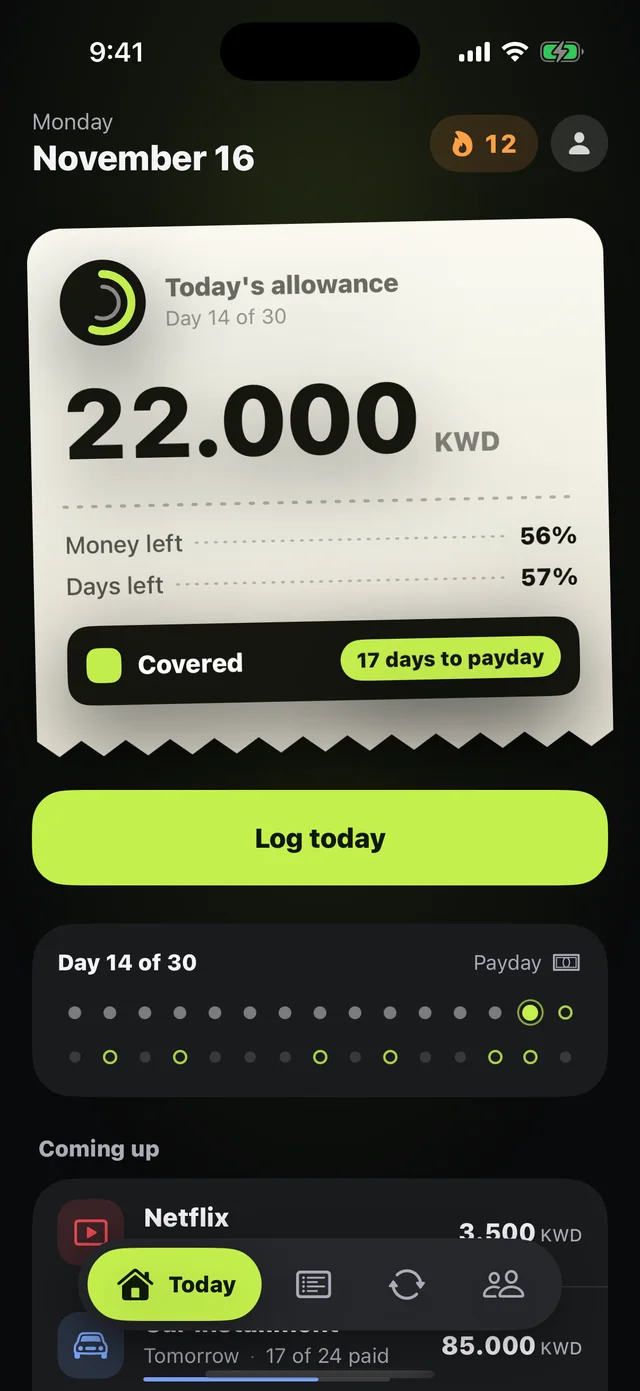
Instead of doing the math on your phone's calculator, Mastoora gives you today's allowance on a paper receipt: money left, days left, and whether you're Covered, On the edge, or Exposed.
 Download on the App Store
Free on iPhone · iOS 18.0 or later
Why it matters
After your commitments
Allowance = salary minus everything that leaves this cycle, divided by the days left.
It adjusts with you
Saved today? The difference moves to tomorrow. Went over? It comes off. It never piles up beyond one day.
Your status at a glance
Covered when your spending keeps pace with the days, On the edge when it gets close, Exposed when it gets ahead.
A three-second log
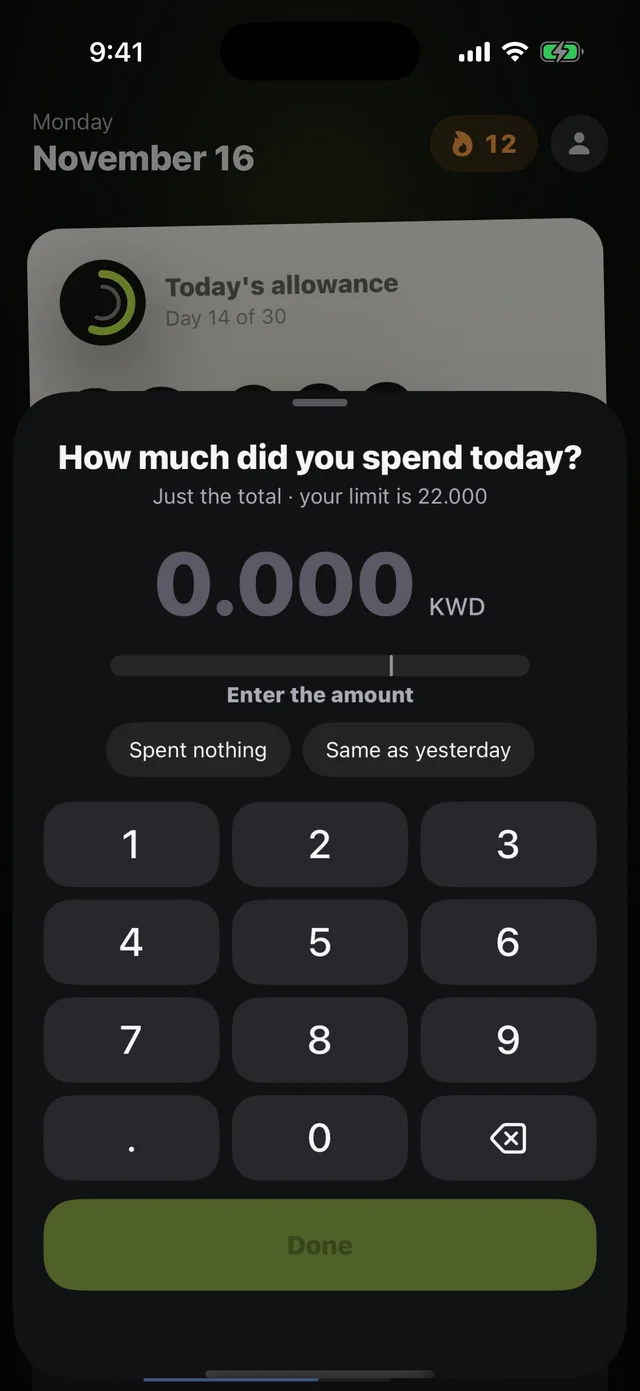
Each night: how much did you spend today? Just the total, "Spent nothing," or "Same as yesterday."
Streak and recap
Every logged day extends your streak, and the weekly recap sums up your covered days.
A 9 p.m. reminder
One notification to log your day.
How to use it
- 1
Set your salary and payday
During setup or in Settings.
- 2
Add your commitments
Mastoora takes them out and shows today's allowance.
- 3
Log your day at night
Enter the total and Mastoora moves the difference to tomorrow.
Questions about this feature
How exactly is today's allowance worked out?+
(What's left of your salary after commitments and spending − yesterday's difference) ÷ days left until payday, then yesterday's difference is added to today alone. More in daily spending limit.
Do I have to log every purchase?+
No. You log your day's total once, at night.
What if I forget a day?+
You can log later, but your streak restarts if a full day passes. With Plus you get cover days that protect your streak.
More features
Keep your month covered
Download Mastoora, add your commitments in a minute, and see your real number for today.
Download on the App StoreFree on iPhone · iOS 18.0 or later