Subscriptions
How to track subscriptions: a practical guide
One subscription for movies, another for music, some cloud storage, and an app you tried once and forgot. Each is a small amount, but the total can surprise you. This guide helps you find every subscription and work out what they really cost.
Subscriptions are designed to be forgotten: they're charged automatically, in small amounts, on different days of the month. Remembering them isn't enough. You need to look for them where they live, then bring them together in one list.
Where to find your subscriptions
- Apple subscriptions: Settings › your name › Subscriptions. This shows everything you subscribed to inside apps on your iPhone.
- Bank or card statements: Go through the last three months and look for repeating amounts. A charge that shows up on about the same day every month is usually a subscription.
- Email: Search your inbox for words like "receipt," "renewal," and "subscription." Many services send a receipt with every charge.
- Your cell phone bill: Some services are added to your carrier bill as add-ons, so check the itemized bill.
- Yearly subscriptions: These show up only once a year, so look back over twelve months of statements so you don't miss them.
Put them in one list
For each subscription, write down four things: the name, the amount, whether it's monthly or yearly, and the billing day. That's enough to know what you pay and when. It also helps to note next to each one: did I use it this month?
Work out the real cost: monthly vs. yearly
To compare subscriptions fairly, convert yearly ones to monthly by dividing by 12. Here's an example with sample amounts:
| Subscription | Billing | Amount | Monthly cost |
|---|---|---|---|
| Movies and shows | Monthly | KWD 3.500 | KWD 3.500 |
| Music | Monthly | KWD 1.990 | KWD 1.990 |
| Cloud storage | Monthly | KWD 0.990 | KWD 0.990 |
| Gym | Yearly | KWD 180.000 | KWD 15.000 |
| Productivity app | Yearly | KWD 12.000 | KWD 1.000 |
| Total | KWD 22.480 |
The monthly total here is KWD 22.480, or KWD 269.760 a year (22.480 × 12). Notice that the gym alone accounts for KWD 15 a month even though you pay it once a year. That amount belongs in your budget every month so the renewal doesn't catch you off guard.
Ask this about every subscription: if I weren't subscribed today, would I sign up now at this price? If the answer is no, it's a candidate for canceling.
Review them once a month
- Pick a fixed day, ideally right after payday.
- Compare your list with your statement: is there a new charge you haven't added?
- Look at the subscriptions you didn't use this month.
- Cancel what you don't need. The steps are in how to cancel subscriptions on iPhone.
- Update the list with any price that changed.
Ten minutes a month is enough; what matters is making it a habit. To see how subscriptions fit into your whole salary, read how to split your salary.
How Mastoora helps
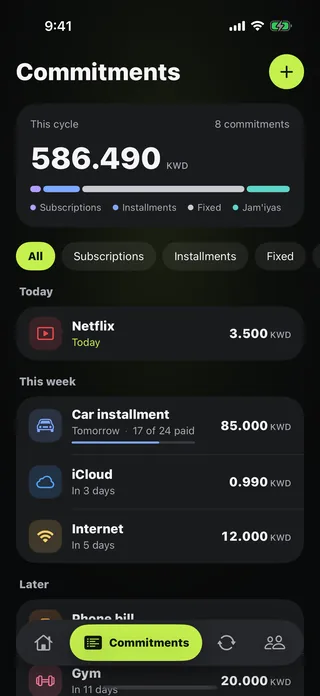
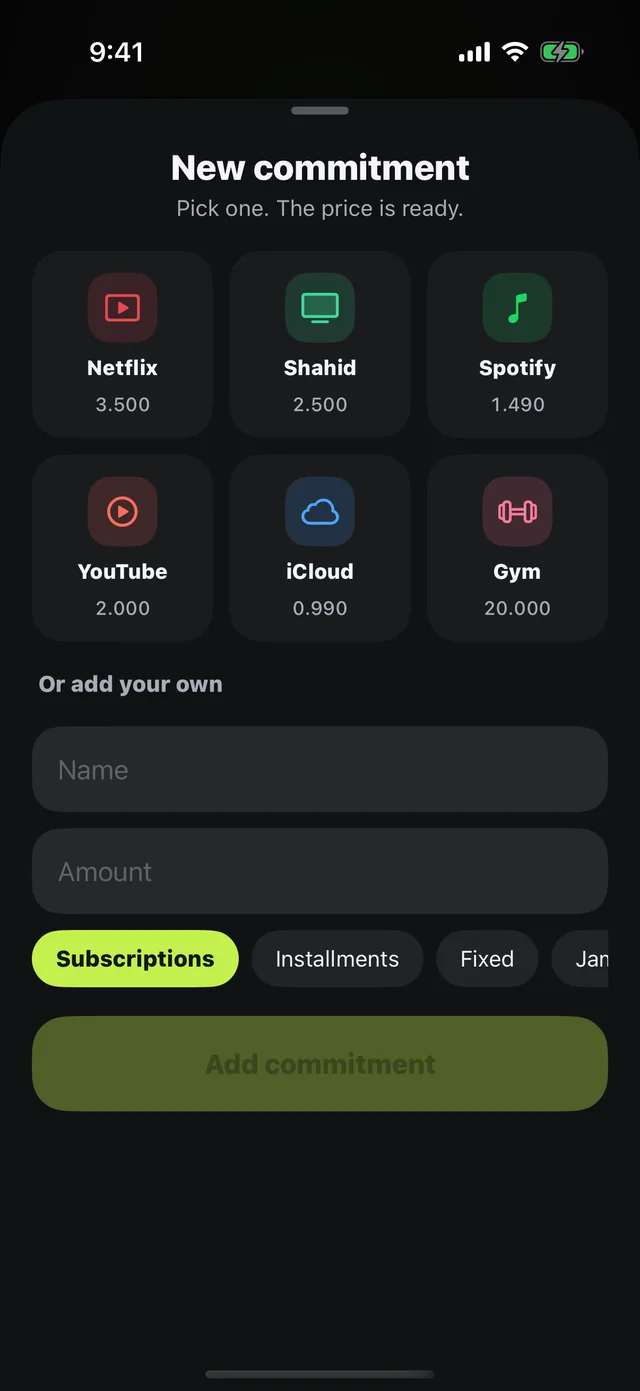
Mastoora never connects to your bank or reads your messages, so it doesn't detect subscriptions automatically. But once you've found them, adding them to Commitments is quick: prices for popular services like Netflix, Shahid, iCloud, Spotify, and YouTube are ready, or you can add any subscription by name, amount, and due day.
- The month's total in one number, split by kind.
- Coming up: today, this week, and later.
- A 10 a.m. notification the day before every withdrawal.
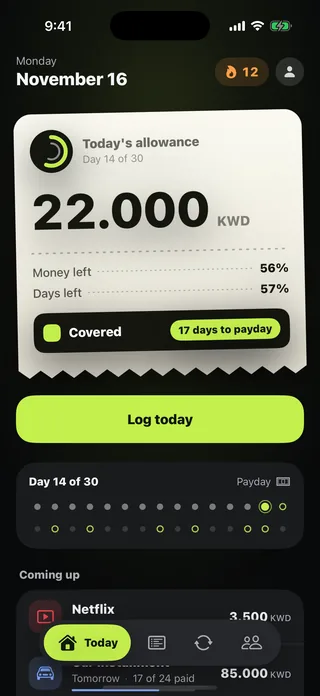
- The total comes out of your salary to show your real "Today's allowance." Read about the daily allowance.
Mastoora is not affiliated with any of the services mentioned in this article.

Try Mastoora free
Add your commitments once, and Mastoora tells you every day what you can spend.
Download on the App StoreThis article is general information, not financial advice.
Frequently asked questions
How do I see my subscriptions on iPhone?+
Open Settings › your name › Subscriptions, or App Store › your profile picture › Subscriptions. Both show active and expired subscriptions.
Why can't I find a subscription that shows up on my statement?+
You probably signed up on the provider's website, it's billed to your phone plan, or it's on another Apple Account. Search your email for its receipt to find the source.
Is a yearly subscription cheaper than monthly?+
Its monthly equivalent is often lower, but it's only worth it if you'll use the service all year. Compare by dividing the yearly price by 12.
Does Mastoora find my subscriptions automatically?+
No, because it never connects to your bank or reads your messages. You add them once, and prices for popular services are ready.